
FlowPilot
Stacked imbalance entry
Imbalance0 levels ≥ 3x
Stackedneed 3
Bar delta+0
Auto regime—
Armed: waiting for a stack
1/6Every trade lands in the forming bar: sells hit the bid (left), buys lift the ask (right).
How FlowPilot works→Automated order-flow strategies for NinjaTrader 8
Automate your order flow edge in milliseconds. FlowPilot and BookPilot run inside NinjaTrader 8 to execute setups, eliminate emotional tilt, and stop at your daily limits.
Billed monthly · cancel anytime · 2 devices per licence · works at NT8 prop firms
Product Signals
The real rules behind FlowPilot and BookPilot, step by step, with the default settings they ship with. Prices and sizes are an example, slowed down so you can follow them. Click a step to pause on it.
1/6Every trade lands in the forming bar: sells hit the bid (left), buys lift the ask (right).
How FlowPilot works→1/6BookPilot adds up the resting size on the first 2 levels of each side of the book, on every update.
How BookPilot works→1/5A 640-lot offer sits on the 4th ask level, 5.4x the size of the levels behind it. BookPilot starts tracking it.
How BookPilot works→Waiting for a signal
1/5Armed and flat: the strategy may take the next valid signal (BookPilot: only inside its trading hours).
Compare the risk controls→Live Execution
Watch FlowPilot execute order-flow strategies in real-time. See exactly how the rules process tick data and execute with precision.
"The speed at which it fades pulled walls is impossible to do manually. Passed my Apex eval in 3 days."
A quick look at FlowPilot's configuration and how it adapts to market conditions. Optimize your edge with precise parameters.
 Apex Trader Funding
 FTMO
FTMO Take Profit Trader
 TradeDay
 Bulenox
 Earn2Trade
 Elite Trader Funding
 Tradeify
 BluSky Trading Company
 FundedNext Futures
 Lucid Trading
 MyFundedFutures
Compare NinjaTrader 8 prop firms: profit splits, drawdown models and payouts →
Not affiliated with or endorsed by these firms; names and logos belong to their owners. Prop firm rules change often: check your firm's current rules on automation, trade copying and market data before trading.
Two strategies
FlowPilot reads the trades in the footprint. BookPilot reads the orders waiting in the order book. Both run inside NinjaTrader 8, place the trades for you and stop at your daily limits.
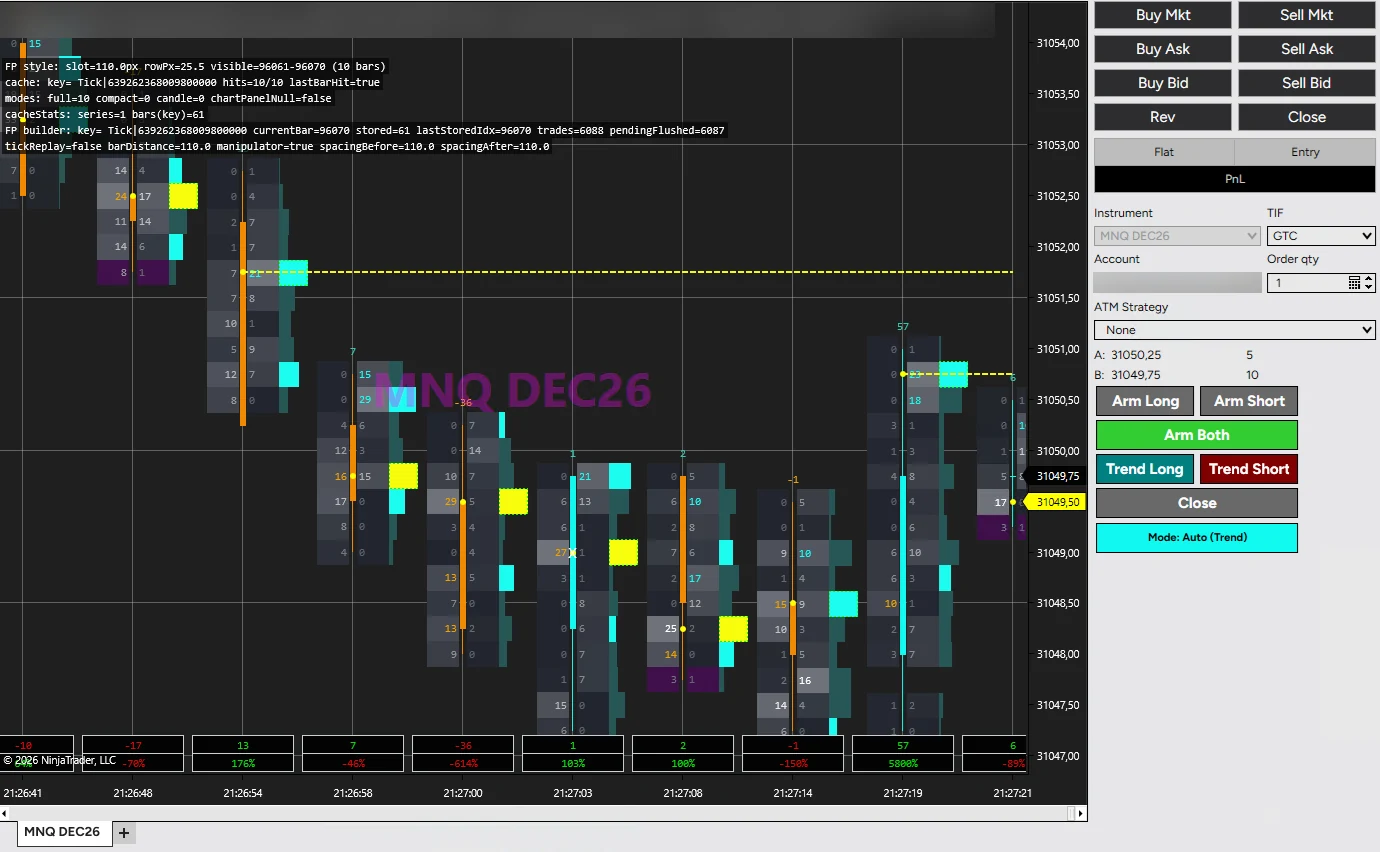
Traded volume: the footprint of the forming bar
Buys or sells when aggressive orders stack up on several price levels in a row.
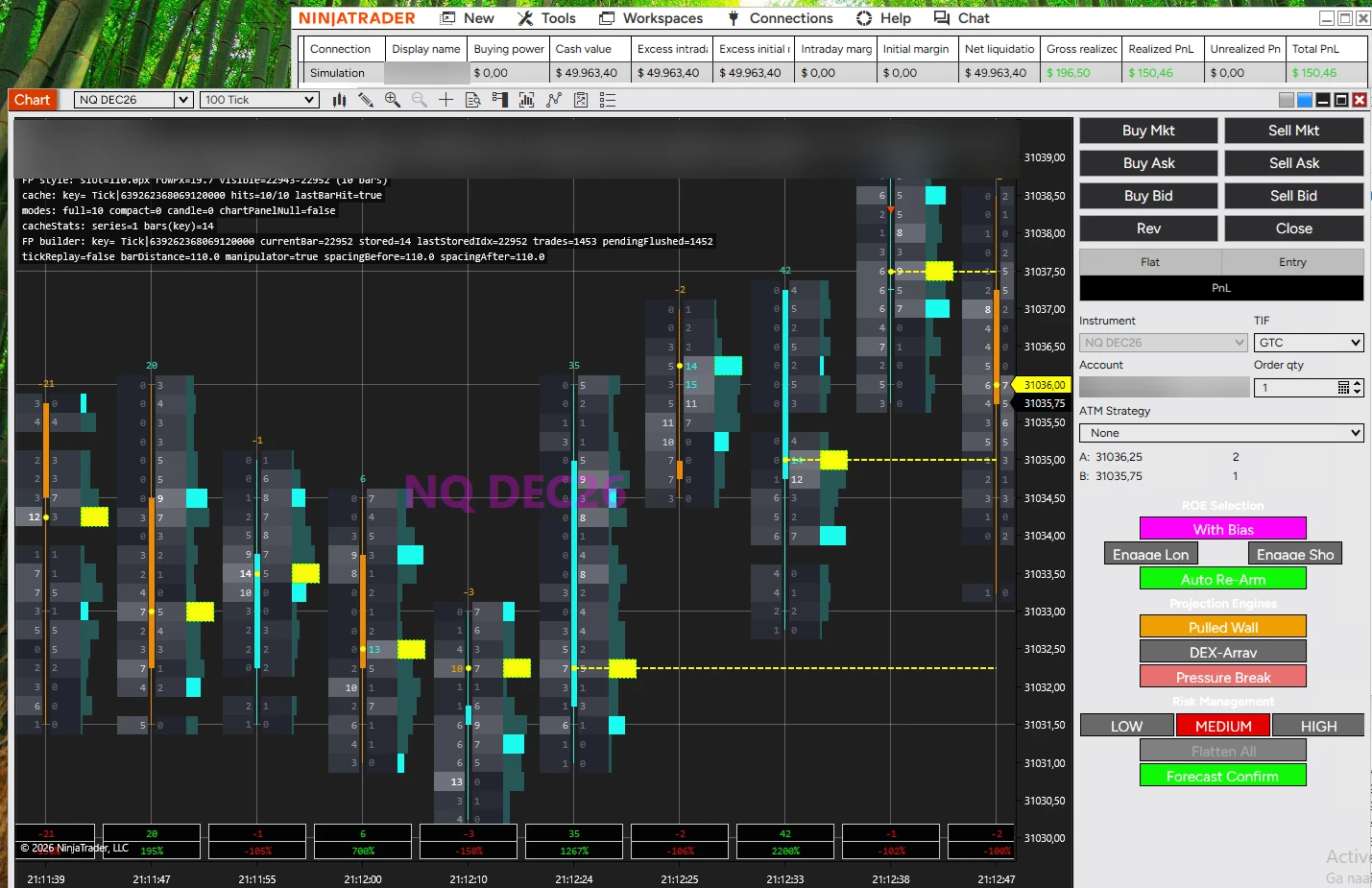
The Level 2 order book: resting size, level by level
Trades book pressure that holds, and fades large orders that get pulled before they trade.
Not sure which one? Compare FlowPilot and BookPilot →
Free playbook
A free guide to reading DOM pressure and recognising spoofed size before it traps you: the same ideas BookPilot's Pulled Wall scanner is built on.
Join 3,500+ traders mastering the order book.
We send the playbook link and occasional product updates. Unsubscribe anytime.
Why automate
Every entry comes from a defined pattern: a stacked imbalance, a held book imbalance or a pulled wall. The same market gives the same decision.
See the rules→Daily profit goal, daily max loss and a cooldown after a loss are enforced in code. When the day is done, the strategy stops until the next session.
A user guide and settings sheet for each strategy: what every setting does, its default, the range to use and what raising or lowering it changes.
Open the guides→Backtest FlowPilot in the Strategy Analyzer with Tick Replay. Run BookPilot in Market Replay with recorded Level 2. Both run on SIM first.
A NinjaScript strategy with its own Chart Trader panel, on your broker or prop firm connection. No bridge, no second platform.
NT8 prop firms→Billed monthly, cancel anytime. Each licence key works on 2 devices, so a desktop and a VPS or laptop are covered, and you can move a key to a new computer yourself from your account.
Getting started
No extra software or servers to run: everything trades inside your own NinjaTrader 8, on your own data feed and account. Only the licence check needs an internet connection.
Checkout by Stripe. Your licence key and the download link for the NinjaTrader 8 package arrive by email and stay available in your account.
Run Install.ps1 -Clean from the package, then import it in NinjaTrader (Tools > Import > NinjaScript Add-On). Paste the key into the strategy.
Start from the defaults and the guide's suggested ranges. Test on SIM, in Market Replay or, for FlowPilot, in the Strategy Analyzer.
Set your daily goal and max loss to your account or prop firm rules, arm the strategy and let it trade within them.
Full walkthrough: installation guide →
For BookPilot, yes: it trades the order book, so it needs Level 2 market depth, live or in Market Replay. At prop firms this is often a paid monthly add-on. FlowPilot does not: it works from tick data with bid/ask, which every NinjaTrader 8 futures feed provides.
FlowPilot can be backtested in the NinjaTrader Strategy Analyzer with Tick Replay on. BookPilot cannot, because historical bars carry no order book; it runs in Market Replay exactly as it does live.
NinjaTrader 8.1 or later on Windows. The strategies ship as a NinjaScript add-on that you import with Tools > Import > NinjaScript Add-On, after running the included Install.ps1 -Clean.
Both run on any NinjaTrader 8 account, including prop firms such as Apex Trader Funding, FTMO, Take Profit Trader, TradeDay, Bulenox, Earn2Trade, Elite Trader Funding, Tradeify, BluSky Trading Company, FundedNext Futures, Lucid Trading and MyFundedFutures. Firms set their own rules on automated strategies and Level 2 data, so check your firm's current rules first.
Each subscription comes with a licence key that works on 2 devices at the same time. It is billed monthly and you can cancel anytime from Manage billing in your account.
Sign in to your account at vantedgealpha.com/account with the email you subscribed with; we email you a one-time sign-in link, no password needed. There you can update your card, download invoices or cancel, copy your licence key, see which computers use it and deactivate one to free its slot (2 self-service resets per key every 30 days), and download the latest version. When an update is out, your account and NinjaTrader both tell you.
Yes. Every setting is in the NinjaTrader strategy dialog, and the user guide for each strategy explains what it does, its default, the range to use and what changes when you raise or lower it.
No strategy can promise that. FlowPilot and BookPilot execute their rules consistently and stop at your daily limits, but they can and will have losing trades and losing days. Test them on SIM or Market Replay before any funded or live account.
Monthly subscriptions, cancel anytime. Test on SIM or Market Replay first; trading futures involves substantial risk of loss.