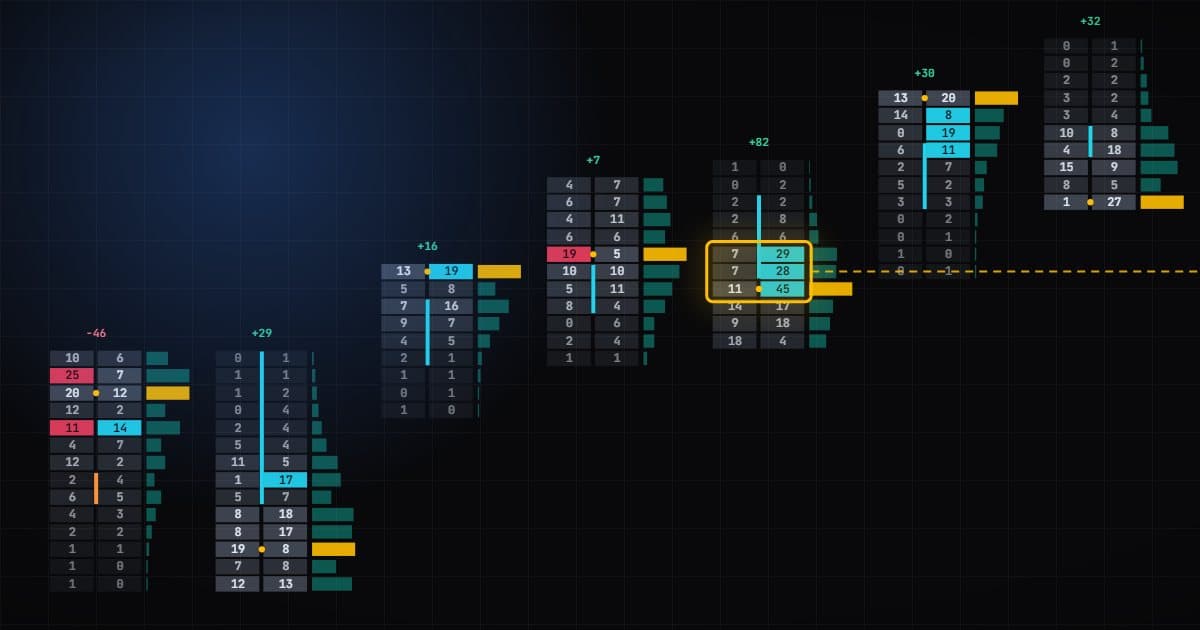
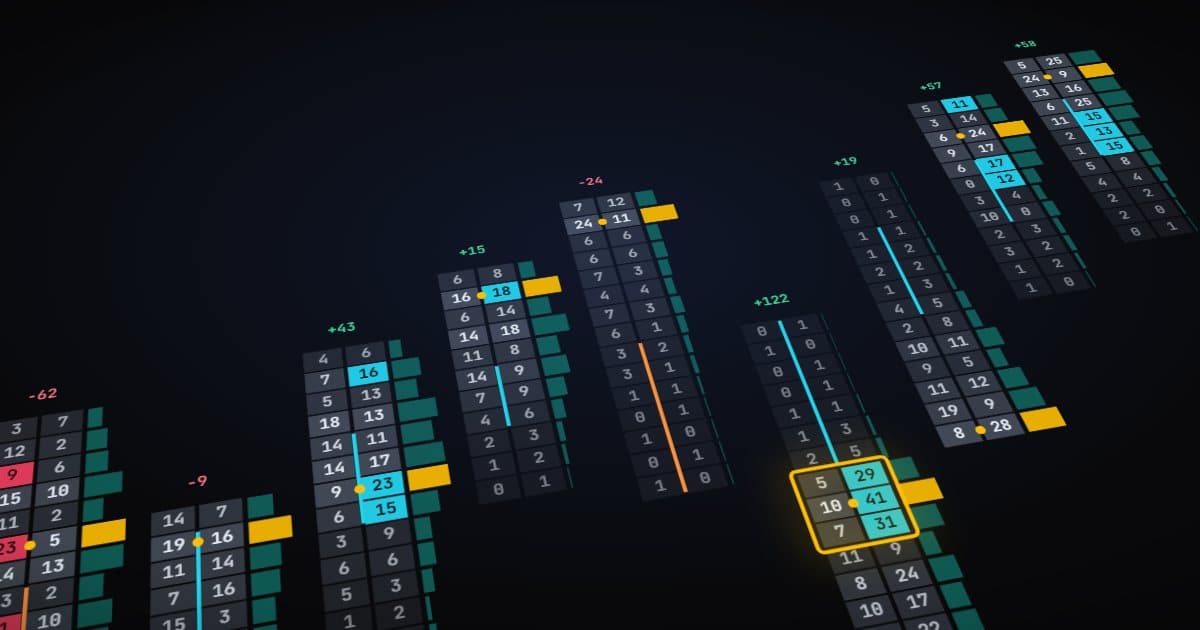
Traders searching for a "Market Delta footprint" for NinjaTrader 8 usually want one thing: the bid-by-ask footprint chart that the MarketDelta platform helped make popular, running inside NT8. There are a few ways to get that, and they differ more than the screenshots suggest.
What people mean by a Market Delta footprint
The classic layout splits each bar into price rows. Each row shows volume that traded at the bid next to volume that traded at the ask, often coloured by delta, with imbalances highlighted. Over time "Market Delta footprint" became shorthand for that style of chart, whichever software draws it.
So the real question is not where to download a brand. It is which NT8 footprint fits how you trade.
Your options in NinjaTrader 8
NinjaTrader's own order flow tools
NinjaTrader offers order flow features, including a volumetric bar type, depending on your NinjaTrader licence. Check your licence before buying anything else.
Third-party footprint indicators
Many vendors sell or give away NT8 footprint indicators. Quality varies widely, from simple bid/ask cells to full suites.
A footprint bundled with a strategy
Vantedge Footprint is not sold or downloaded on its own. It is included with both Vantedge plans: FlowPilot at $299 a month and BookPilot at $399 a month. If you only want a chart to read by eye, a standalone indicator may suit you better. If you want the footprint traded for you, the bundle makes sense.
What to check before you install any footprint
- Bid/ask data. A footprint needs every trade classified as hitting the bid or the ask. Live tick data with bid and ask is enough. No Level 2 feed is required for the footprint itself.
- History. For past bars to show detail, NinjaTrader needs Tick Replay ticked on the data series. Without it, historical bars have no bid/ask split.
- Imbalance logic. Find out whether imbalances compare diagonally (ask at one price against bid one tick lower) or straight across, what ratio counts, and whether there is a minimum size.
- Performance. Footprints calculate on every trade. Try one on a busy NQ session before you rely on it.
- Licensing. Know how many machines a licence covers and what happens if you cancel.
What Vantedge Footprint shows
Here is what the included indicator displays, as documented:
- Footprint cells with traded volume at each bid and ask price and delta shading.
- Cumulative delta, the running net aggression of the session.
- Bid/ask imbalances based on configurable ratio thresholds, such as 3:1 or 4:1.
- Absorption markers where heavy volume failed to move price further.
Its main job in the bundle is transparency. FlowPilot trades stacked imbalances in the forming bar, and loading the Vantedge Footprint chart template lets you see the same imbalances the strategy is acting on.
Getting it onto your chart
After purchase you download a NinjaTrader 8 package and receive a licence key. Both stay available in your account while you are subscribed. The steps, in short:
- Install with Install.ps1 -Clean, then compile in NinjaTrader (New > NinjaScript Editor > F5). The package's INSTALL.txt has the details.
- Open an ES or NQ chart and tick Tick Replay on the data series.
- Right-click the chart, choose Templates > Load and pick the Vantedge Footprint template.
- Add the strategy and paste your licence key into its License Key setting. Each key works on 2 devices.
The installation page and the FlowPilot guide walk through each step.
Choosing well
Also decide how much you want the tool to do. A footprint you read by eye needs your attention all session and depends on your consistency. A strategy applies the same imbalance rules every time but needs testing and supervision of its own. Neither is right for everyone.
If you want to read footprints yourself and nothing more, compare standalone indicators on the points above. If you want stacked imbalances traded with fixed brackets and daily limits, look at a strategy instead, and treat the bundled footprint as your window into what it is doing.
No footprint chart, free or paid, protects you from futures losses. Learn any new tool in SIM before you trade it on an evaluation, funded or live account.